
Disconnect Rust Cheat - Feature list & Where to Buy
A full feature list of disconnect rust cheat as well as where to purchase, we also delve into what Rust Cheats actually do.
Buyers can find: Disconnect external [HERE](https://cheats.org/store/product/disconnect-rust-internal-cheat
Disconnect Internal HERE
[Internal VS External what to choose?]()
Disconnect Rust Internal has taken over the market for being the most feature rich and safest Rust internal on the market, we rank it as a 9/10 cheat on our list with many unique features to boot as well as ease of install. It takes minutes to purchase the cheat which can be found on our store, and then seconds after that to install the cheat and be in the game.
The most popular Rust cheat to date, hundreds of thousands of keys have been sold with an estimates user base close to 50-100k according to the loader.
Full feature breakdown
Every feature explained for the cheater. view the raw feature list here:
Combat › Aimbot
Automates aiming and shooting. Core toggles snap your aim to a chosen body part (head/chest/etc.) with optional "smoothing" to make it look more human. "Silent aim" fires shots that hit a target without your crosshair visibly moving. The rest are targeting rules (who to prioritize — wounded, sleepers, teammates), wall/visibility logic, and auto-fire options.
Combat › Misc
Visual and behavioral aids tied to the aimbot — drawing your FOV circle and a line to the current target, controlling hit probability, letting bullets pierce objects, and disabling team damage. "Hit Material" spoofs what surface a bullet appears to strike.
Combat › Weapon
Modifies gunplay physics: removing or altering recoil and bullet spread, forcing semi-auto weapons to fire full-auto, thickening the bullet hitbox, instant bow/eoka firing, and auto-reload.
Visuals › Players
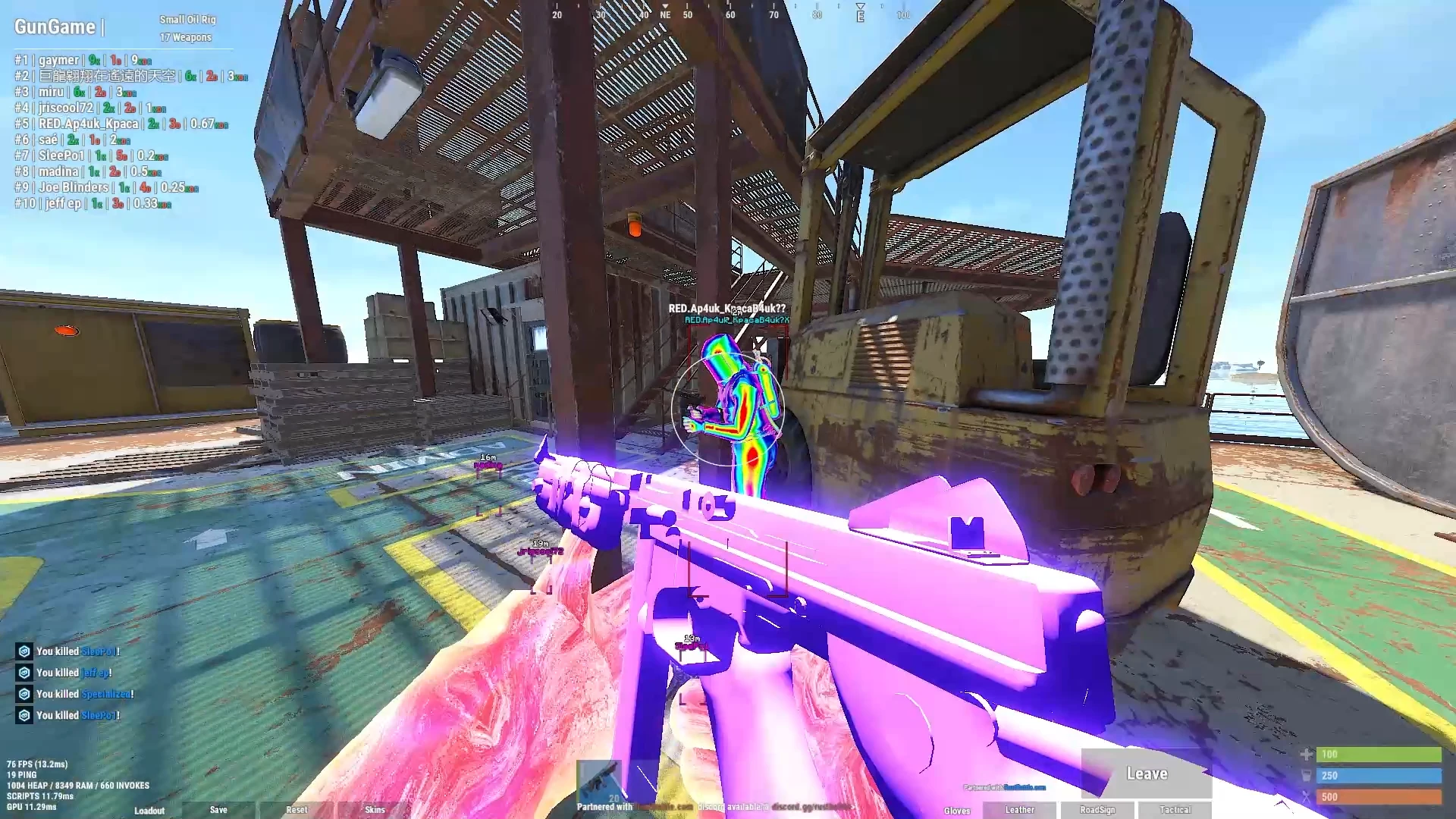
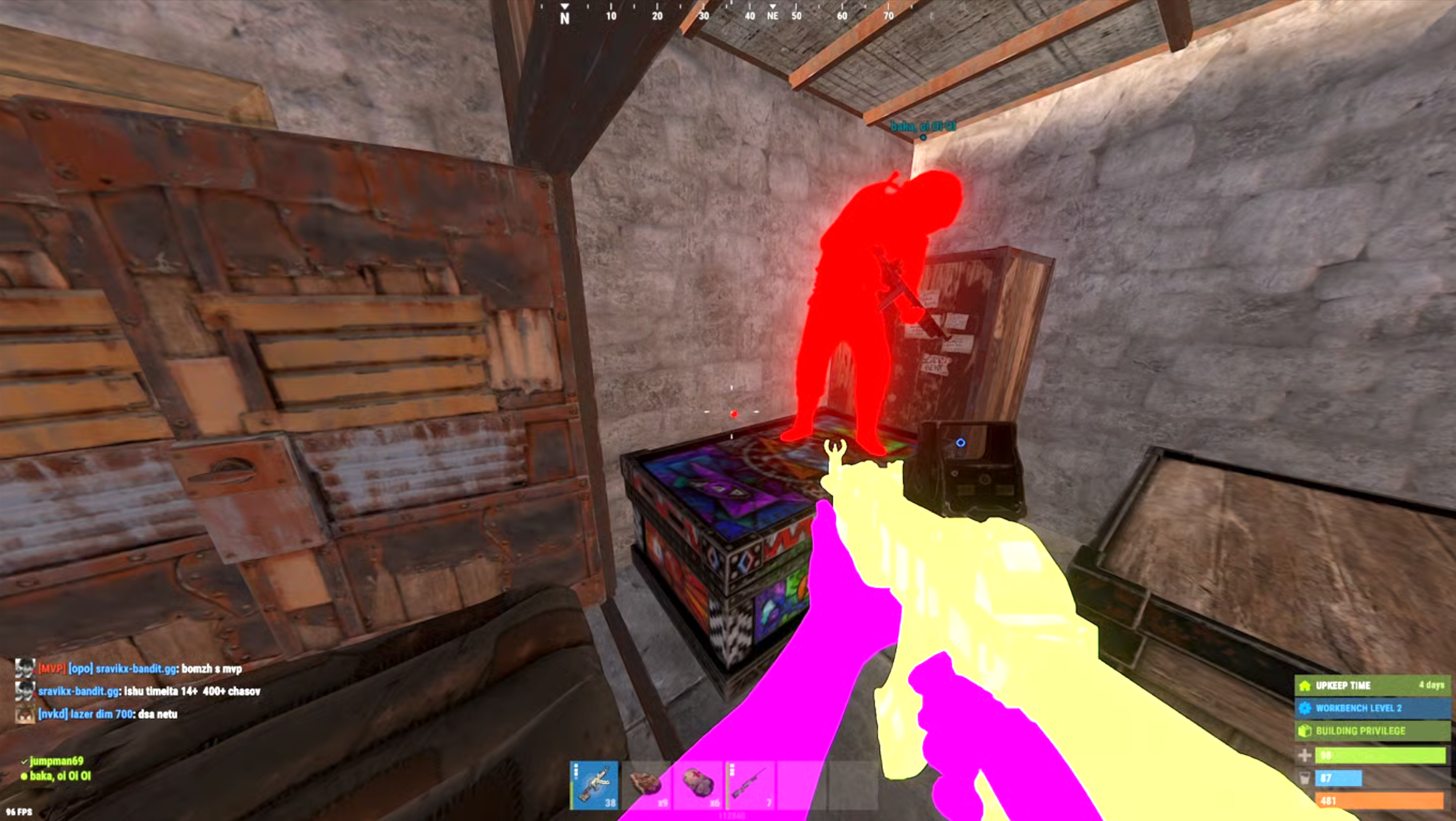
ESP ("extra sensory perception") — draws information about other players through walls: names, distance, held item, skeletons, boxes, team IDs, and "chams" (recoloring player models so they glow/show through terrain).
Visuals › NPC
The same ESP overlays but for AI enemies (scientists, etc.) — name, distance, health bar, box, and chams, with a range limit.
Visuals › Other
Miscellaneous overlays: recoloring your own hands/held item, showing "dormant" (out-of-network) players, off-screen arrows pointing to nearby enemies, a customizable hotbar/crosshair, and an item-icon display.
Visuals › Misc
Bullet tracers (visualizing shot paths) and a configurable radar minimap showing player positions and distances.
World › Resources
ESP markers for gatherable nodes and pickups — hemp, ore, food, barrels, scrap, diesel — so resources are visible at a distance.
World › Vehicles & Animals
Markers for vehicles (helis, boats, bikes, Bradley) and animals (bears, wolves, sharks, etc.).
World › World
Markers for loot and containers — dropped weapons, backpacks, corpses, and the full range of crates/airdrops.
World › Deployables
Markers for player-built structures and defenses — turrets, traps, SAM sites, landmines, tool cupboards, and workbenches. (All World tabs share distance/max-range settings.)
Misc › Main
General cheats and quality-of-life hacks: removing render layers (see-through walls), zoom/FOV changes, changing time of day, instant looting/reviving, friend/enemy tagging, and auto-pickup of collectables.
Misc › Misc
Movement exploits — sprinting in any direction, shooting mid-jump, no fall damage, flyhack, infinite jump, no player collision, silent walking, plus debug camera and Steam ID copying tools.
Settings › Main
Menu appearance and control — color, keybind to open it, language, and a watermark toggle.
Settings › Settings
Config management — switching between preset profiles (Legit / Rage / Other) and loading/saving your configurations.
Settings › Indicators
Small on-screen status displays — a reload indicator and centered status indicators.
For Rust
Everything in this guide, ready to buy.
 Working
 Rust
Rust Disconnect Rust Internal Cheat
The best budget internal Rust Cheat on the market featuring hundreds of rage features such as Aimbot, bullet TP, Wallhacks, ESP, Chams, Flyhack, and hundreds and hundreds more. As a bonus has remained without a banwave for many months
- Windows 10/11
 Working Rust
 Disconnect Rust External Cheat
The longest standing External Cheat that's still on the market.
- Windows 10/11
1